L-Shaped Desk Setup for Work and Hobby: Why Two Desks Beat One
The boundary between work and hobby computing is already blurred for most remote workers. Your Slack is open. Your personal projects wait in another browser tab. For many people, an L-shaped desk setup seems like the perfect solution. By lunchtime, it’s difficult to remember which workspace is which.
Table Of Content
- Why an L-Shaped Desk Sounds Perfect (But Isn’t)
- The Better Approach: Two Desks Instead of One L-Shaped Desk Setup
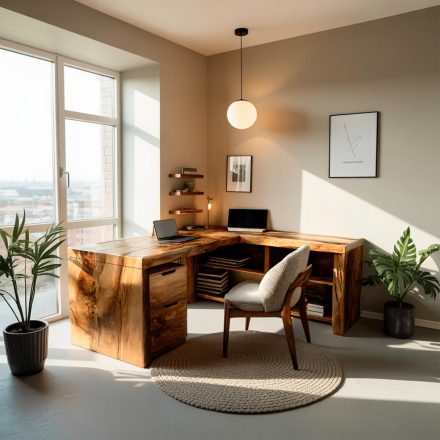
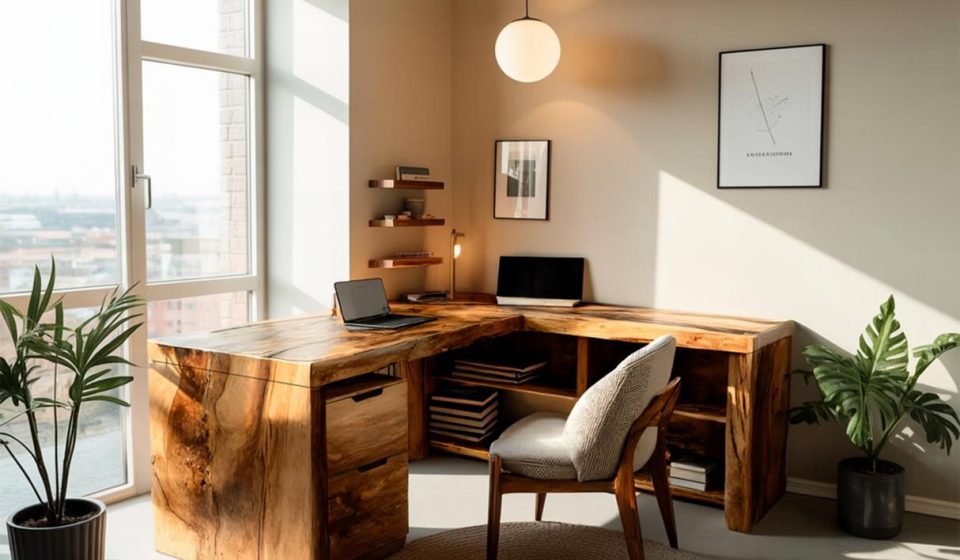
- Designing an L-Shaped Desk Setup: Two Desks to Feel Like One Calm Space
- Desk Height
- Desk Material and Colour
- Individual Desk Mats
- Unified Lighting
- Cable Management in One Place
- Why Zone Separation in an L-Shaped Desk Setup Actually Matters
- Setting Up Your L-Shaped Desk Setup: The Practical Reality
- When an L-Shaped Desk Setup (Two Desks) Actually Works (And When It Doesn’t)
- Closing
But we’ve found that the real solution — the one that actually creates mental separation and stays flexible in your room — isn’t a single L-shaped desk setup at all. It’s two desks, configured however you need them. This approach gives you the genuine benefits of an L-shaped configuration without the inflexibility that comes with a single, fixed unit.
Why an L-Shaped Desk Sounds Perfect (But Isn’t)
An L-shaped desk has genuine appeal. The extended wing gives you somewhere to rest your arm, hold a second monitor, or keep a notepad within reach. It’s efficient. It looks intentional.
The problem arrives when you try to move it.
An L-shaped desk is locked to one orientation. The wing goes on the left, or it goes on the right. The corner has to sit in a corner of your room. Move it to the centre, and the protruding side looks awkward and wastes space. Flip it to the opposite wall, and the orientation suddenly feels wrong.
If your room has four corners, maybe two of them work fine for an L-shaped desk. The other two don’t. You’ve made a decision about your room layout the moment you buy it.
For a design-conscious workspace, that inflexibility contradicts the whole point.
The Better Approach: Two Desks Instead of One L-Shaped Desk Setup
What if, instead of one rigid L-shaped desk setup, you used two identical desks?
You gain everything an L-shape promises — zone separation, extended surface area, a second monitor station — but you keep the flexibility to reconfigure however your room (or your needs) change.
Two desks let you:
- Form an L on the left (if that corner works best)
- Form an L on the right (if you need to switch sides)
- Run them parallel (for a more open, less enclosed feeling)
- Separate them entirely (if your room layout shifts or your hobby becomes more demanding)
This is the approach that works for WFH professionals who take their personal projects seriously. You’re not compromising on zone separation. You’re just refusing to sacrifice flexibility. In fact, two identical desks give you the same zone separation as a traditional L-shaped desk setup, but with complete reconfigurability.
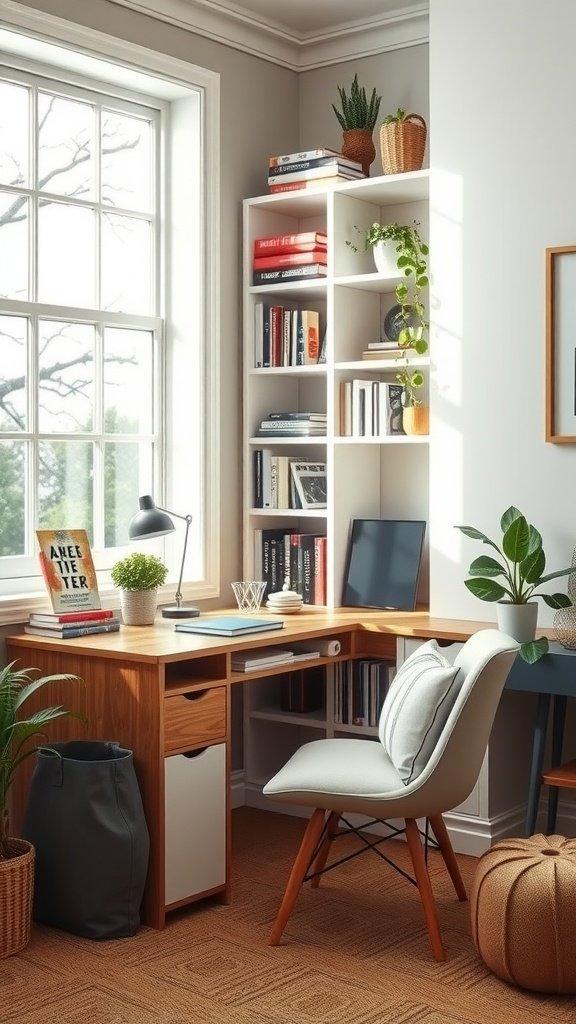
Designing an L-Shaped Desk Setup: Two Desks to Feel Like One Calm Space
The risk with two desks is that they look like clutter. Like you’ve just pushed furniture around without intention.
The antidote is matching everything that matters.
Desk Height
Both desks must be the same height. This is non-negotiable. Mismatched heights destroy visual calm instantly and create ergonomic problems if you move between them.
Desk Material and Colour
They don’t have to be identical models, but they should share a material language. Two wooden desks (even if slightly different tones) feel cohesive. A wood desk paired with a white melamine desk looks accidental.
Individual Desk Mats
Rather than extending one large mat across both, use two matching desk mats — one on each surface. This defines each zone without making the setup feel visually cramped. The mats anchor each side independently, which strengthens the psychological separation you’re after.
Unified Lighting
This is where most two-desk setups fail. Too many lamps create visual noise.
We recommend one overhead light positioned between the two desks (or slightly offset), paired with a smaller task lamp on each setup if needed. This creates a unified lighting story — warm, considered, not chaotic. Thoughtful lighting is one of the most underestimated aspects of an L-shaped desk setup.
Cable Management in One Place
This is the practical cornerstone. All power sockets, cables, and connections should run to one central point — ideally a corner box nestled where the two desks meet, or a power strip strategically hidden behind the setup.
From there, cables run discreetly to whichever desk needs them. This approach hides desk cables effectively and keeps your L-shaped desk setup visually calm. No tangled mess. No visual confusion. Everything flows from one organised source.
Why Zone Separation in an L-Shaped Desk Setup Actually Matters
This isn’t just aesthetic theory. There’s real psychology behind keeping work and hobby computing separate.
When your hobby setup is physically distinct — different monitor, different keyboard, different desk area — it becomes easier to mentally switch contexts. Your work laptop stays in “work mode.” Your personal computer stays in “hobby mode.” The physical separation reinforces the mental boundary.
Research on context switching and cognitive load shows that when your brain is forced to juggle multiple roles in the same physical space, it drains mental energy. A properly configured L-shaped desk setup — or two separate desks — solves this by creating distinct zones for distinct work types.
For WFH professionals, this prevents the creeping sense that you’re always “at work.” A dedicated hobby zone — even if it’s just the other side of your L-shaped desk setup — gives your brain permission to genuinely switch off from work when you sit there.
It’s the same principle that workspace design research supports: a bedroom should be for sleep, not work. Environment shapes mindset. The same applies to your L-shaped desk setup or dual-desk configuration.
Setting Up Your L-Shaped Desk Setup: The Practical Reality
If you’re considering two desks, here’s what actually works.
Start with desk height. Both desks must align perfectly. This is your foundation. Measure carefully.
Choose a corner or wall arrangement that lets you position them in an L without one desk feeling like it’s floating in the room. The configuration should feel intentional — not like you ran out of space elsewhere.
Centralise your power. Whether it’s a power strip, a wall outlet, or a dedicated corner box, all cables should originate from one point. This keeps the mental load low and the visual space clear.
Match materials thoughtfully. If both desks are wood, they work. If one is white and one is natural, reconsider. The cohesion matters more than the specific aesthetic.
Use lighting to unify. One overhead lamp between the two desks immediately makes the setup feel intentional rather than accidental. Add individual task lamps only if you genuinely need them.
When an L-Shaped Desk Setup (Two Desks) Actually Works (And When It Doesn’t)
Two desks configured as an L-shaped desk setup works brilliantly if:
- You genuinely use both setups regularly
- Your room layout accommodates an L without awkwardness
- You value flexibility and reconfigurability
- You have the space (this setup takes more room than a single desk)
- Your hobby computing is serious enough to justify a dedicated station
It works less well if:
- You rarely use the second desk
- Your room is very small
- You need maximum surface area in a single location
- You prefer a single, unified workspace
Closing
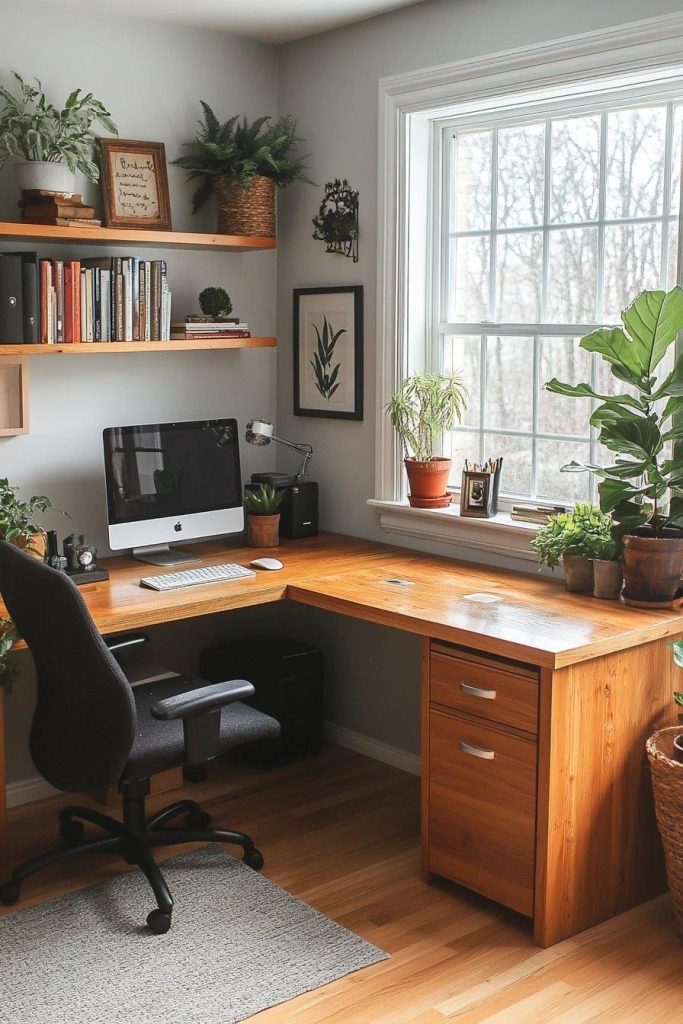
An L-shaped desk is tempting because it promises efficiency and organisation in one purchase. But that single unit is inflexible, and inflexibility contradicts intentional design.
Two desks give you the genuine benefits — zone separation for WFH and hobby computing, extended surface area, a second monitor station — without locking you into one L-shaped desk setup configuration forever. This approach to designing a workspace lets you adapt as your needs change.
For remote workers serious about maintaining mental boundaries between work and hobby, a well-designed two-desk configuration (or L-shaped desk setup, if the inflexibility doesn’t bother you) is worth the space investment. Paired with thoughtful organisation practices, the design principles are simple: match heights, materials, and lighting. Centralise your cables. Let each zone breathe. That’s enough to transform two desks into one calm, flexible, intentional workspace.