Deskfully Reviewed: But There’s More Going On Than You Think
Credit: vividowlmedia
Table Of Content
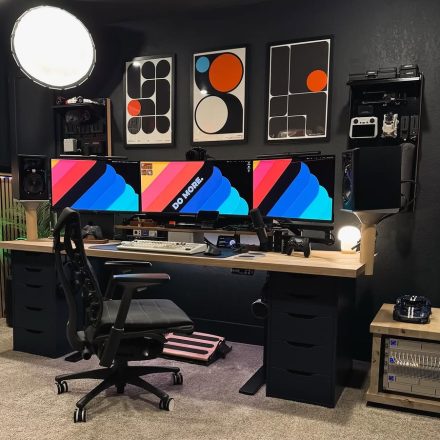
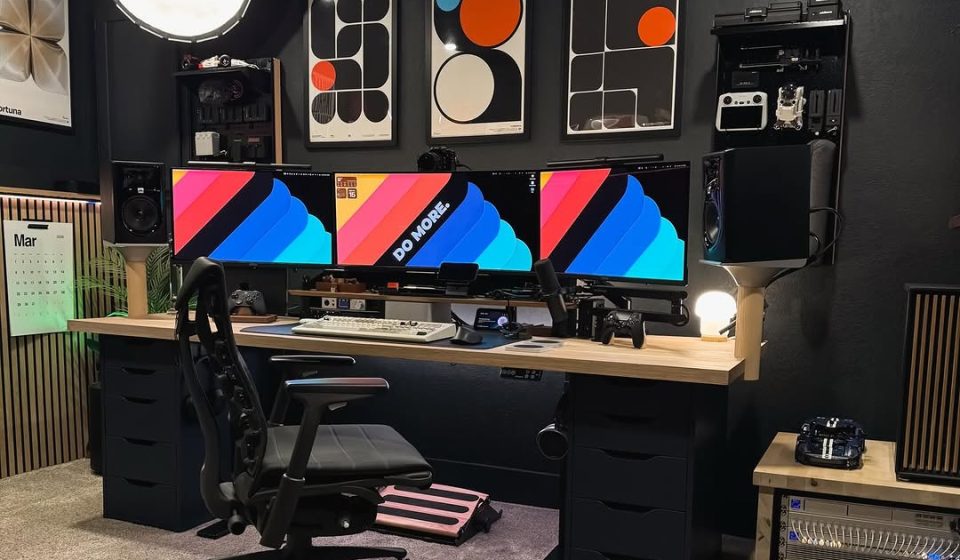
At first glance, this setup from vividowlmedia feels instantly polished.
Dark walls, warm wood, and a carefully controlled colour palette create a space that looks more like a studio than a typical home desk. It’s clean, immersive, and clearly intentional.
But once you spend a bit more time with it, there are some interesting design decisions worth unpacking — both the strengths, and the subtle opportunities.
What This Setup Gets Right
A Clear, Controlled Colour Story
This is where the setup really excels. The combination of:
- Matte black walls
- Warm wood desk and accents
- Restrained pops of orange and white
Creates a cohesive visual language that runs through everything — from the wall art to the screen wallpapers.
Nothing feels accidental. Even the tech blends in rather than dominating, which is rare in multi-monitor setups.
This kind of cohesion doesn’t happen by accident — it’s the result of treating your setup like a design project, not just a collection of gear (something we break down further in our guide to why your desk setup needs design-level attention).
Strong Visual Framing
The three framed prints above the desk do a lot of heavy lifting here.
They:
- Anchor the entire setup
- Mirror the colour palette on the screens
- Create symmetry without feeling rigid
This is a good example of using wall space as part of the desk, not just decoration behind it.
Multi-Purpose Without Feeling Cluttered
There’s a lot going on:
- Triple monitor setup
- Audio gear
- MIDI keyboard
- Gaming controllers
- Speakers
And yet it doesn’t feel overwhelming.
That’s largely down to:
- The raised shelf creating layers
- Consistent spacing between objects
- Keeping everything within the same tonal range
It’s a difficult balance — and this setup handles it well. Part of what keeps this setup feeling clean is how well the visual noise is controlled — something that often comes down to cable management (we’ve broken down practical ways to hide desk cables here).
What We’d Refine (Subtly)
Artwork
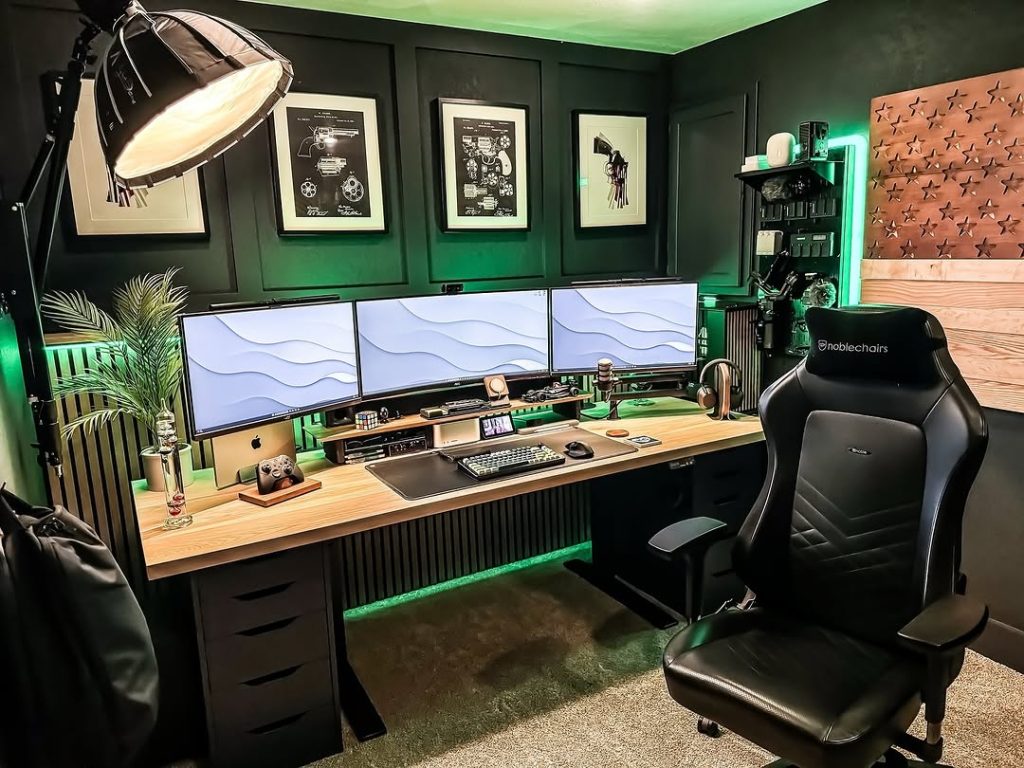
The artwork collides quite heavily with the tone of the office equipment. Individually they’re nice pieces but the bright colours and the white steals a lot of attention away. We think these would be better suited to a lighter coloured desk space. The creator does rotate between art regularly (seen on their Instagram page) though and the other pieces on their Instagram seems to give a more satisfying look.
The Desk Surface Is Right on the Edge
It’s clean, but only just with:
- The keyboard
- Phone
- Controllers
- Mic
- MIDI keyboard
The usable workspace starts to feel slightly compressed.
It still looks great visually — but from a functional perspective, there’s a hint of tension between aesthetic and breathing room.
The Tech Shelf Draws Attention Away From the Screens
The shelf is doing a great job organisationally, but visually it becomes a focal point.
Because of:
- The mix of gear
- Small lights and displays
- Different textures
your eye gets pulled downward rather than staying on the main monitors.
A slightly more minimal or unified treatment here could reinforce the screens as the true centrepiece.
Final Thoughts
This is a setup that clearly prioritises design — and it shows.
It’s cohesive, layered, and thoughtfully put together in a way that most desk setups never quite achieve.
What makes it interesting isn’t what it gets wrong — but how close it is to being perfectly balanced. In setups like this, the smallest refinements make the biggest difference.
Setups like this are a great example of how thoughtful design can directly influence how you work — something we’ll explore more in our upcoming guide to designing a desk setup that actually boosts focus.