We Built a Minimal Pomodoro Timer for Focused Desk Setups
Most people try to improve focus by adding more apps.
Table Of Content
- The idea: a distraction-free Pomodoro timer
- Why a physical timer changes the experience
- The build (kept intentionally simple)
- Designing for the desk, not just the function
- What we noticed after using it
- Focus starts faster
- Fewer distractions
- Better session boundaries
- It changes how your desk feels
- Where this fits in a modern desk setup
- This is just the start
- If you want to build your own
- How we built the interface
- Final thought
More timers. More notifications. More systems layered on top of an already noisy workflow.
But the reality is this:
Your desk is where focus actually happens.
And yet, most setups rely on tools that live off the desk — hidden in browsers, buried in tabs, competing for attention.
We wanted to test a different idea and challenge ourselves to actually build around our desk setup something that would incorporate Deskfully’s values of being minimal and not disruptive of focus by grabbing attention with it’s aesthetic.
What if focus was a physical part of your desk setup?
The idea: a distraction-free Pomodoro timer
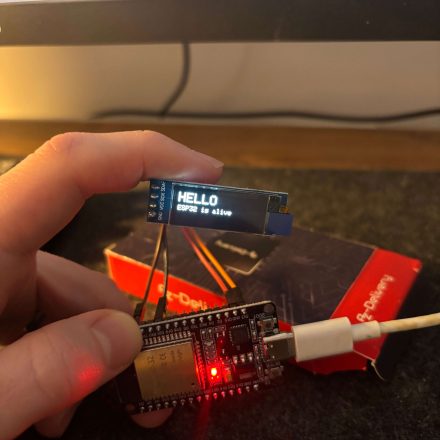
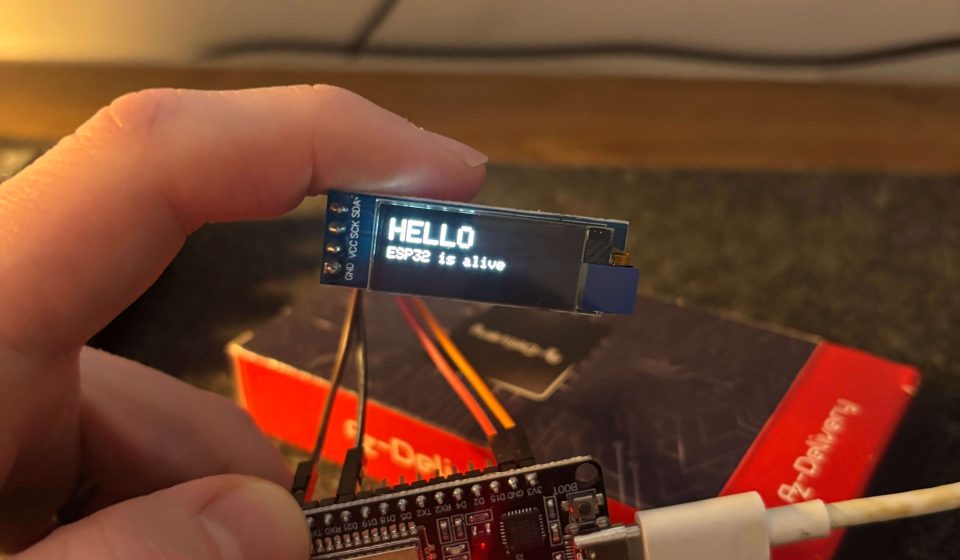
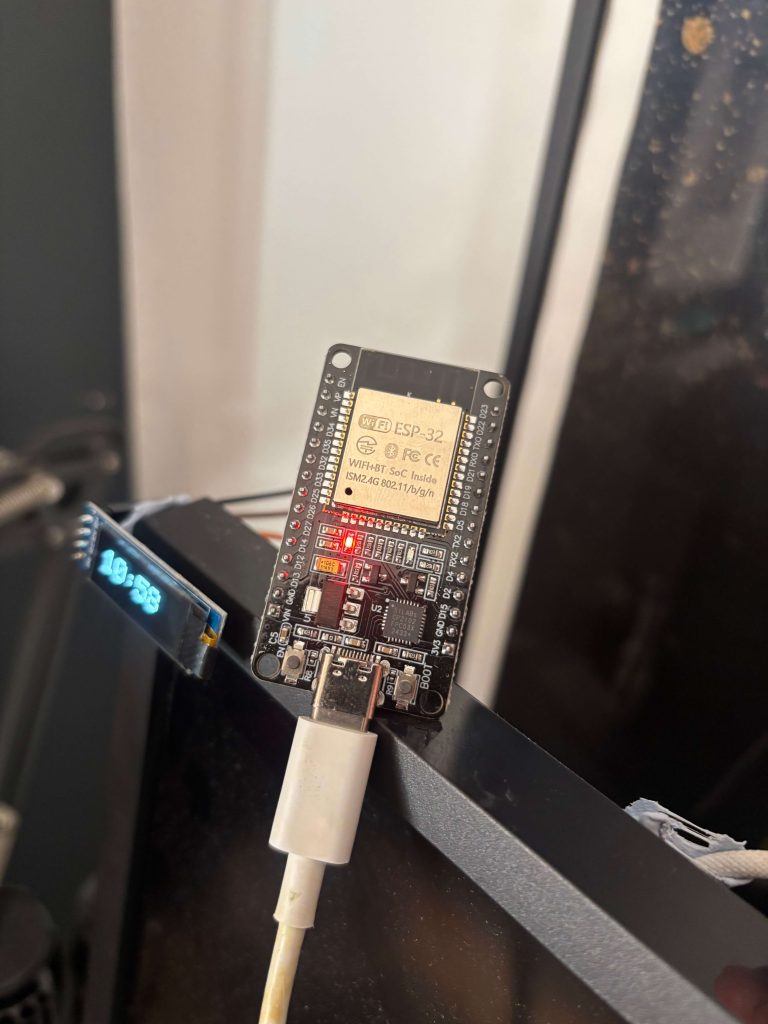
Instead of using another app, we built a simple, physical Pomodoro timer using an ESP32.
No notifications.
No tabs.
No context switching.
Just a single-purpose object designed to sit on the desk and do one thing well:
Help you focus for 25 minutes at a time.
Why a physical timer changes the experience
There’s something fundamentally different about interacting with a physical object on your desk.
You don’t “open” it.
You don’t get pulled into something else.
You don’t accidentally check messages.
It just exists — quietly — as part of your environment.
This aligns with a core Deskfully principle:
The best desk setups remove friction instead of adding features.
A physical timer does exactly that.
- It reduces decision fatigue
- It removes digital distractions
- It makes focus feel intentional
The build (kept intentionally simple)
We didn’t set out to build a complex device.
The goal was clarity, not capability.
Core components:
- ESP32 microcontroller
- Small OLED display
- Single button input
That’s it.
No menus.
No settings.
No unnecessary complexity.
Press once → start a 25-minute session
Timer ends → short break begins
The behaviour is predictable and repeatable — exactly what you want from a focus tool.
Designing for the desk, not just the function
This wasn’t just about making something that works.
It had to belong on the desk.
We kept everything minimal:
- Clean display output
- Subtle visual feedback
- No aggressive alerts or sounds
The aim was to create something that feels closer to a desk object than a gadget.
Something that integrates into a calm, intentional workspace.
What we noticed after using it
After a few days of using the physical timer, a few things became obvious:
Focus starts faster
There’s no friction. You press a button and begin.
Fewer distractions
Without a screen pulling you elsewhere, it’s easier to stay locked in.
Better session boundaries
Work and breaks feel more defined when they’re anchored to something physical.
It changes how your desk feels
This was the unexpected part.
The desk felt more purpose-built — like a space designed for focus, not just a place to put a laptop.
Where this fits in a modern desk setup
We don’t think everyone needs to build their own timer.
But the principle behind it matters:
Not everything needs to live inside your computer.
Some tools are better when they exist physically:
- Timers
- Lighting
- Audio controls
- Even task tracking
A well-designed desk setup isn’t just minimal.
It’s intentional about what stays digital — and what doesn’t.
This is just the start
This project wasn’t about creating a finished product.
It was about exploring a direction:
What if desk setups included more purpose-built, physical tools for focus?
We’ll keep experimenting with ideas like this — bridging the gap between digital workflows and physical design.
Because ultimately:
The best setups aren’t just clean.
They help you do better work.
If you want to build your own
We’ve shared the basics of this project below:
- ESP32 development board
The brain of the timer. We chose this for its reliability, low cost, and built-in Wi-Fi/Bluetooth (even though we didn’t use those features here). - 0.96″ OLED display (SSD1306, I2C)
A small, crisp display for showing the timer. OLED works well because it’s high contrast and looks clean in low-light desk setups. - Jumper wires (male-to-male / male-to-female)
For connecting everything together during the build phase. - USB cable (for ESP32) which ran behind the desk.
- Provides both power and programming connection.
- (Optional upgrade) LiPo battery + charging module (TP4056) If you want the timer to be fully wireless and portable.
One of the nice things about this build is how accessible it is with the core components costing around £10–£20.
How we built the interface
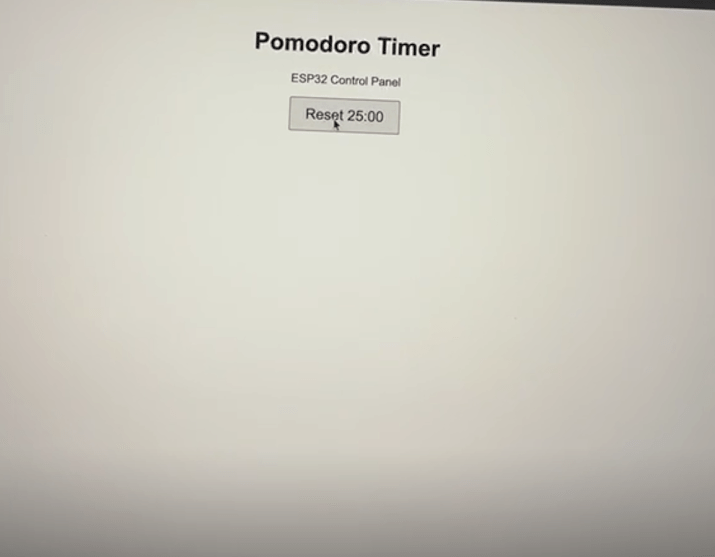
Alongside the physical timer, we built a simple browser-based interface to control it in real time.
The ESP32 hosts a lightweight web page that you can access from any device on the same network. From there, we added a few core controls:
- Start / stop a session
- Reset the timer
- Put the device to sleep
That’s it.
No accounts.
No syncing.
No external services.
Just a direct connection between the browser and the device. Keep an eye out for our Github link to this in the near future.
Final thought
There’s something different about building your own tools.
Not because it’s technical.
Not because it’s impressive.
But because it forces you to decide what actually matters.
When you build something for your desk, you strip it back:
- What would just get in the way?
- What does it need to do?
- What can be removed?
Normally, if you’re buying something off the shelf it comes with having to compromise on your own personality because of it’s physical appearance. We wanted to integrate the pomodoro timer in to our existing setup as much as possible and with one or two further tweaks we’ll have exactly that.